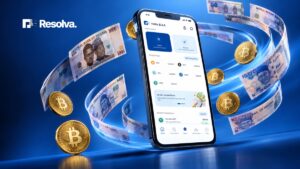

Many Nigerian businesses have watched customers walk away simply because they could not accept crypto payments. While some businesses accept crypto payment but end up spending a lot of time trying to convert it only for crypto prices to change. Some times, these businesses also have to endure payment delays, bad rates and scams while trying to go from crypto to Naira.
None of these scenarios are a good place to be as a business owner who wants to make profit. Resolva Merchant exists because Nigerian businesses deserve better than leaving money on the table. With Resolva Merchant, customers can pay your business in crypto, while you receive the Naira equivalent instantly.
So if you’re ready to start accepting crypto payments from customers, this guide walks you through how to complete the setup, from registration to business verification, wallet generation, and your first payment.
What is Resolva Merchant?
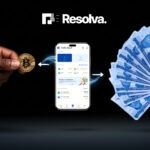
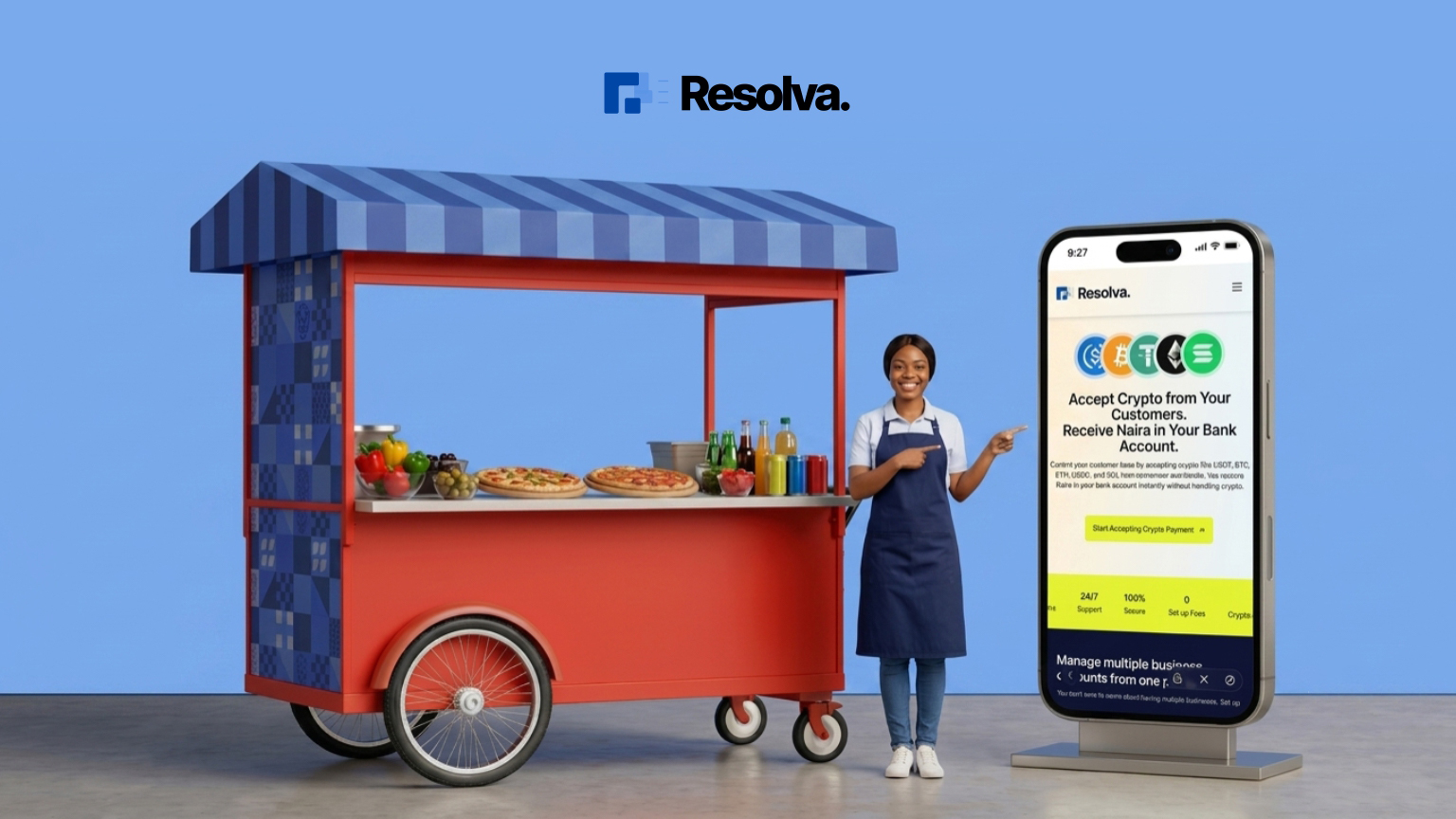
Resolva Merchant is the crypto payment solution built for Nigerian businesses. It gives your business all you need to accept crypto payments from customers while you receive Naira instantly. Customers can scan your Resolva Merchant payment QR code and send crypto. The moment the payment is confirmed on-chain, the Naira equivalent lands in your business bank account. Easy!
Resolva Merchant works for physical stores, online shops, service businesses, restaurants, travel agencies, car dealerships, logistics companies and every other business that wants to accept crypto without the headache of managing it or converting manually.
Your customers pay in crypto. You receive Naira. It’s that simple.
Why Businesses Are Switching to Resolva Merchant
The Nigerian customer base has changed. A growing number of people hold crypto, whether from freelancing, trading, or remittances. They have money in crypto and want to spend. The tricky part is finding businesses that can accept it. This means those who can’t are leaving these customers at the door.
Below are some reasons why smart business owners are using Resolva Merchant to accept crypto payments from their customers:
- Zero Crypto Risk: Resolva handles the crypto for you and pays the exact Naira equivalent directly into your bank account. This means you don’t have to deal with crypto price fluctuations or conversion risk. You receive Naira, not crypto.
- Instant Payments: Experience lightning-fast transactions with no payment delays whatsoever. Your Resolva Merchant payments are credited into your Nigerian bank account in seconds
- Global customers, local currency: A customer from London, Houston, or Dubai can pay you in crypto. You receive Naira without the foreign exchange or cross-border remittances stress.
- No Operational Disruption: Your existing operations, pricing, accounting procedures or staff workflows remain exactly the same. You keep receiving naira as usual.
- Improved Customer Experience: Improve the payment experience for your customers by providing them with another convenient way to pay you.
- Attract High-Spending Customers: Many crypto holders are entrepreneurs, business owners, professionals, expatriates and globally connected individuals whose business can boost your revenue.
- Strengthen Brand Leadership: Become one of the elite businesses in Nigeria who accept crypto payments while reinforcing your brand’s reputation as innovative and forward-thinking.
- Manage Multiple Businesses: Got multiple businesses? Not a problem. You can manage a separate payment profile for each business from the same account.
- Marketing and Partnership Opportunities: Introducing crypto payments creates opportunities for joint campaigns, social media engagement, influencer collaborations and partnerships within Nigeria’s growing crypto ecosystem.
How to Set Up Your Resolva Merchant Account
The setup process is easy.
But first, here’s a checklist of some of the documents you’ll need to complete the process quickly:
- Your RC or BN number
- Certificate of incorporation or registration with the Corporate Affairs Commission (CAC).
- Valid ID of the business owner (NIN slip, international passport, or voter’s card)
- Proof of business address (utility bill, tenancy agreement, or any official document showing your business location)
- Business bank account details
- Your BVN
Video Guide
Part 1 – Create Your Account
Step 1: Visit merchant.useresolva.io and click Get Started
Step 2: Enter your details
Fill in your email address, phone number, and create a password.
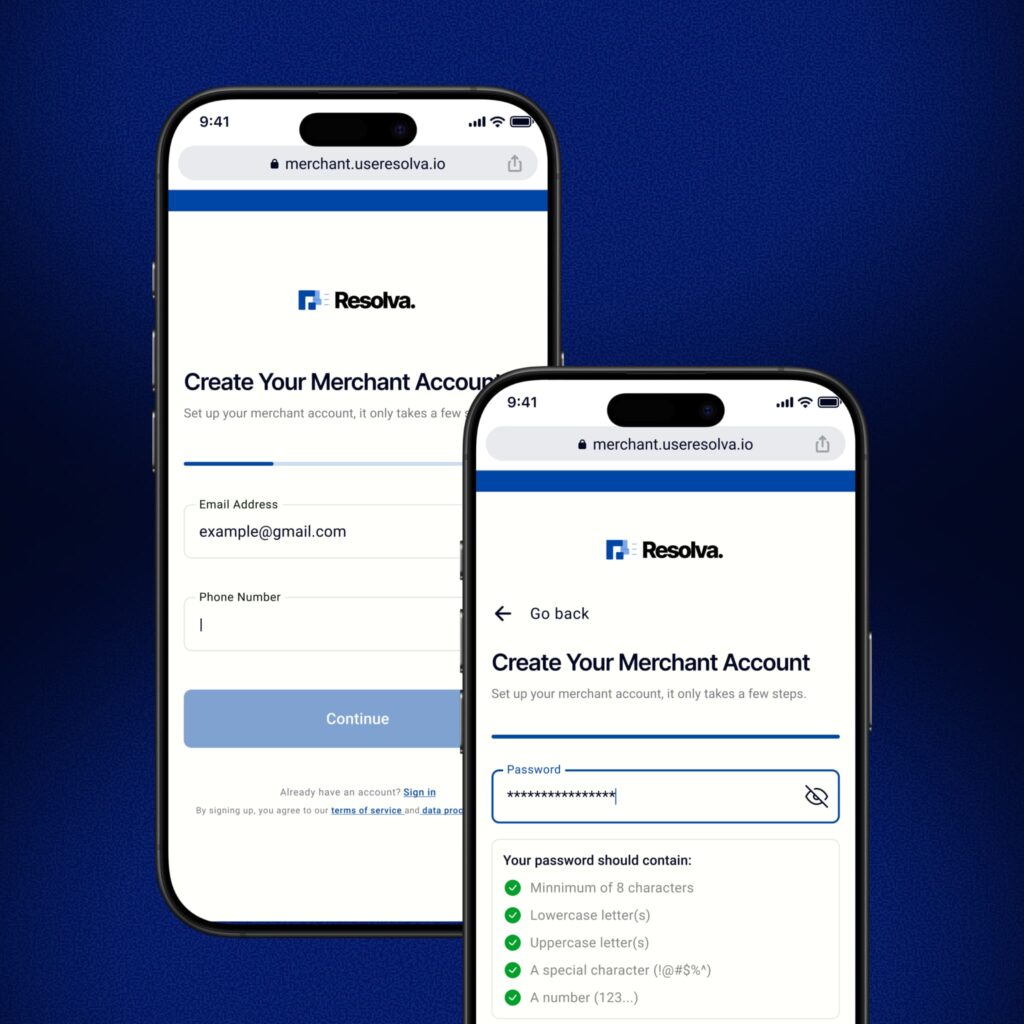
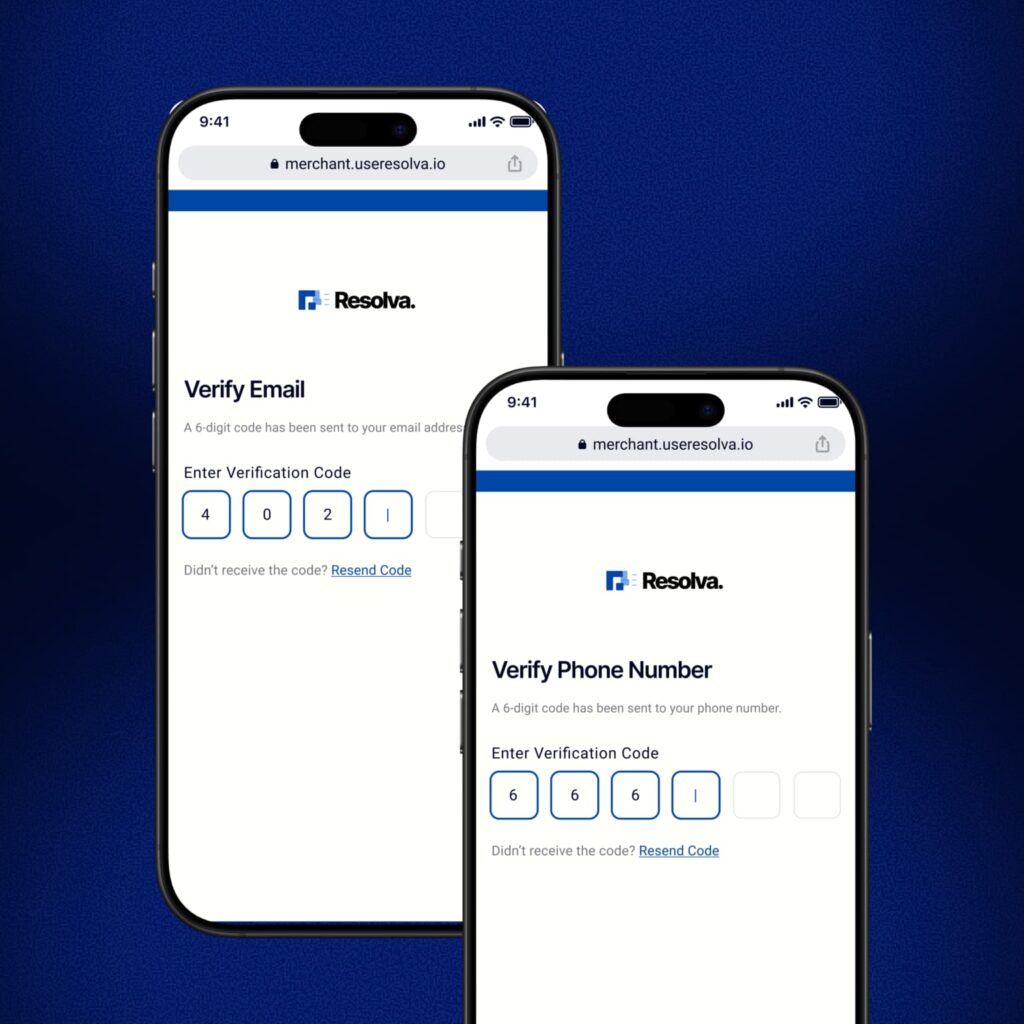
Step 3: Verify your email and phone number
Check your inbox for a verification code from Resolva and enter it. Then enter the OTP sent to your phone number to complete your verification.
Part 2 – Add Your Bank and BVN
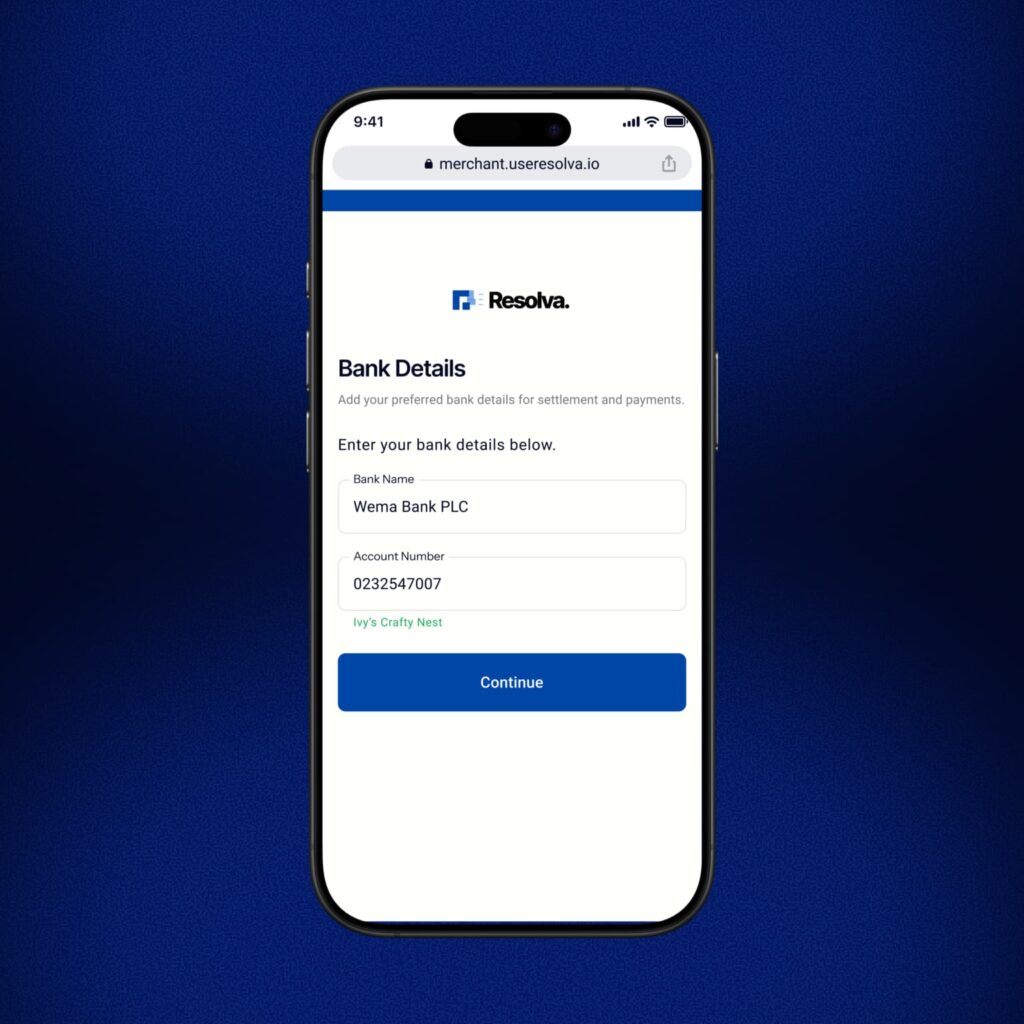
Step 4: Enter your bank details
Add your bank name and account number. Resolva will auto-fetch your account name to confirm it is correct.
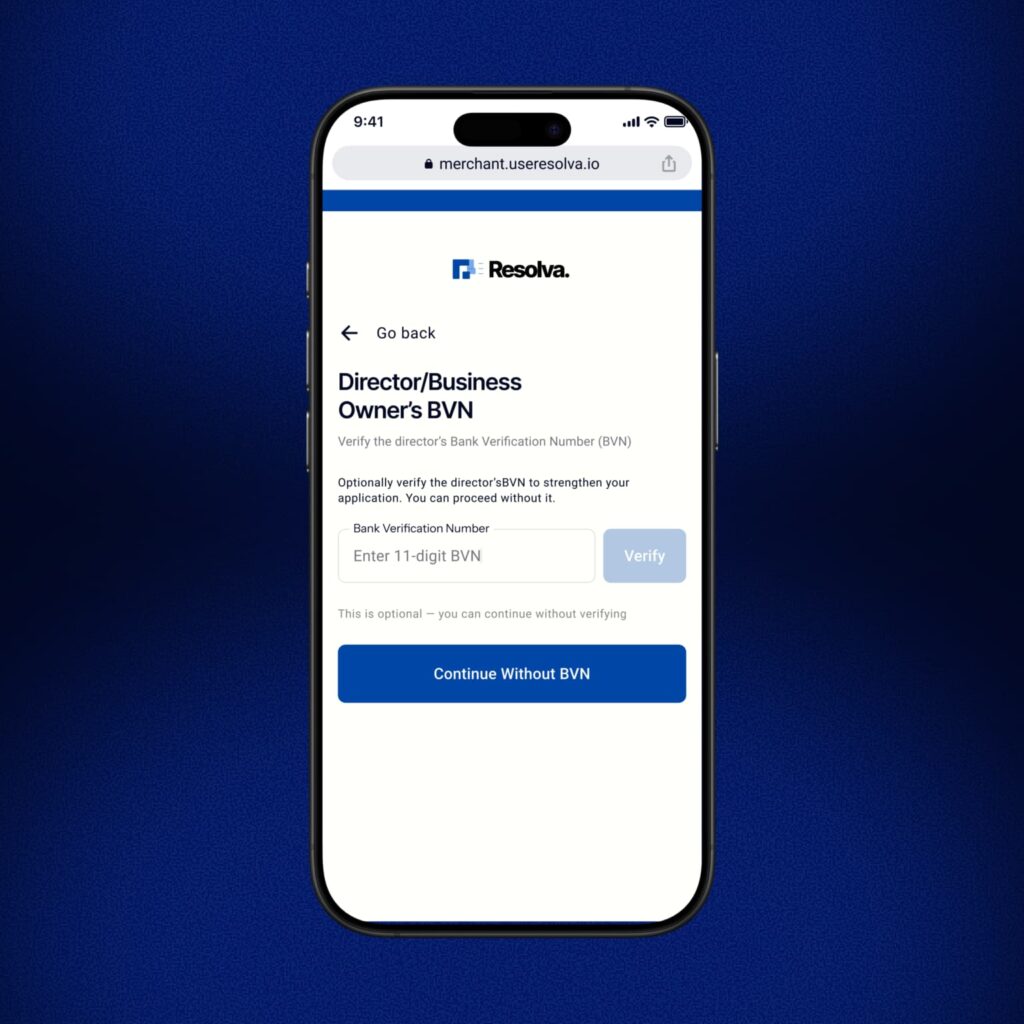
Step 5: Enter your BVN
Input your 11-digit BVN. Adding your bank verification number is optional. You can choose to proceed without it. Your BVN is used solely for identity verification and is processed through a secure, encrypted system.
Do you know your BVN? Dial *565*0# from any Nigerian network.
Part 3 – Add Your Business
This is where Resolva learns about your business.
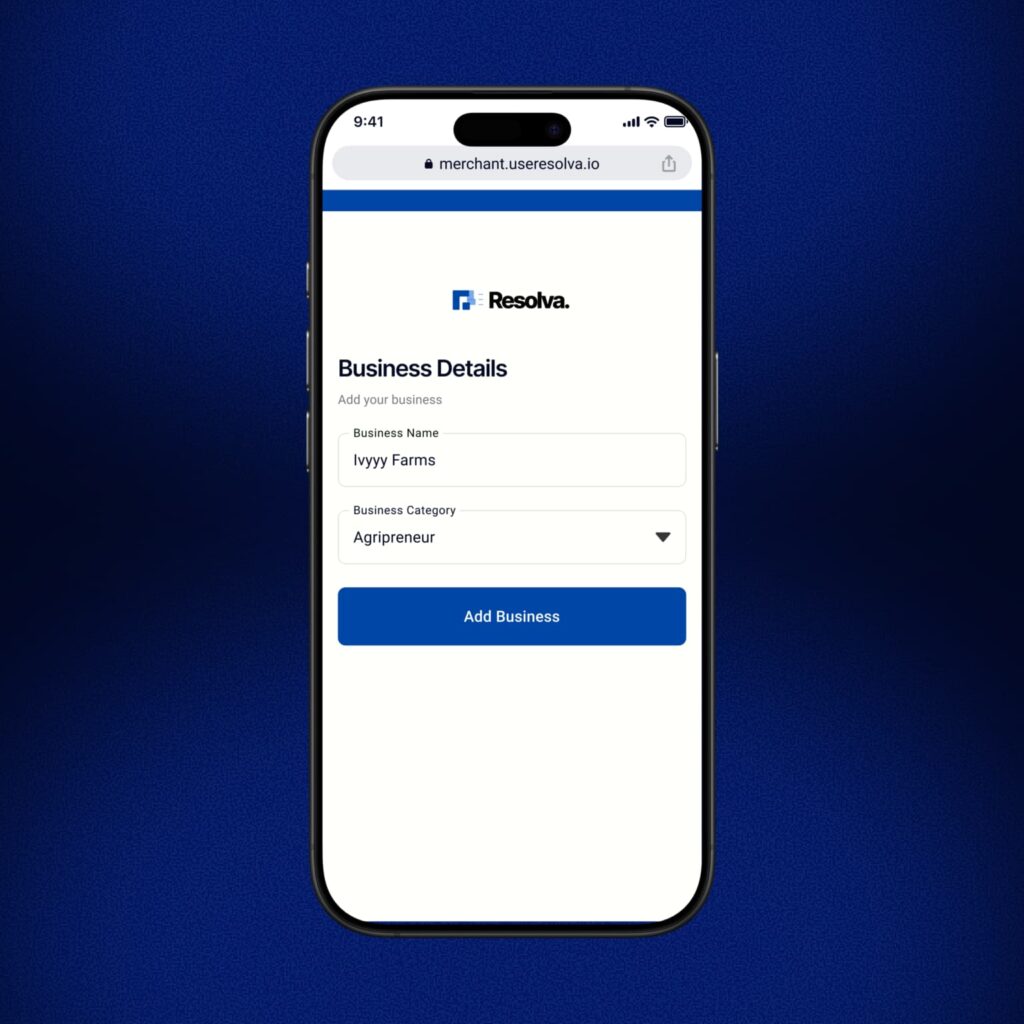
Step 6: Business details
Enter your business name and select your business category from the list.
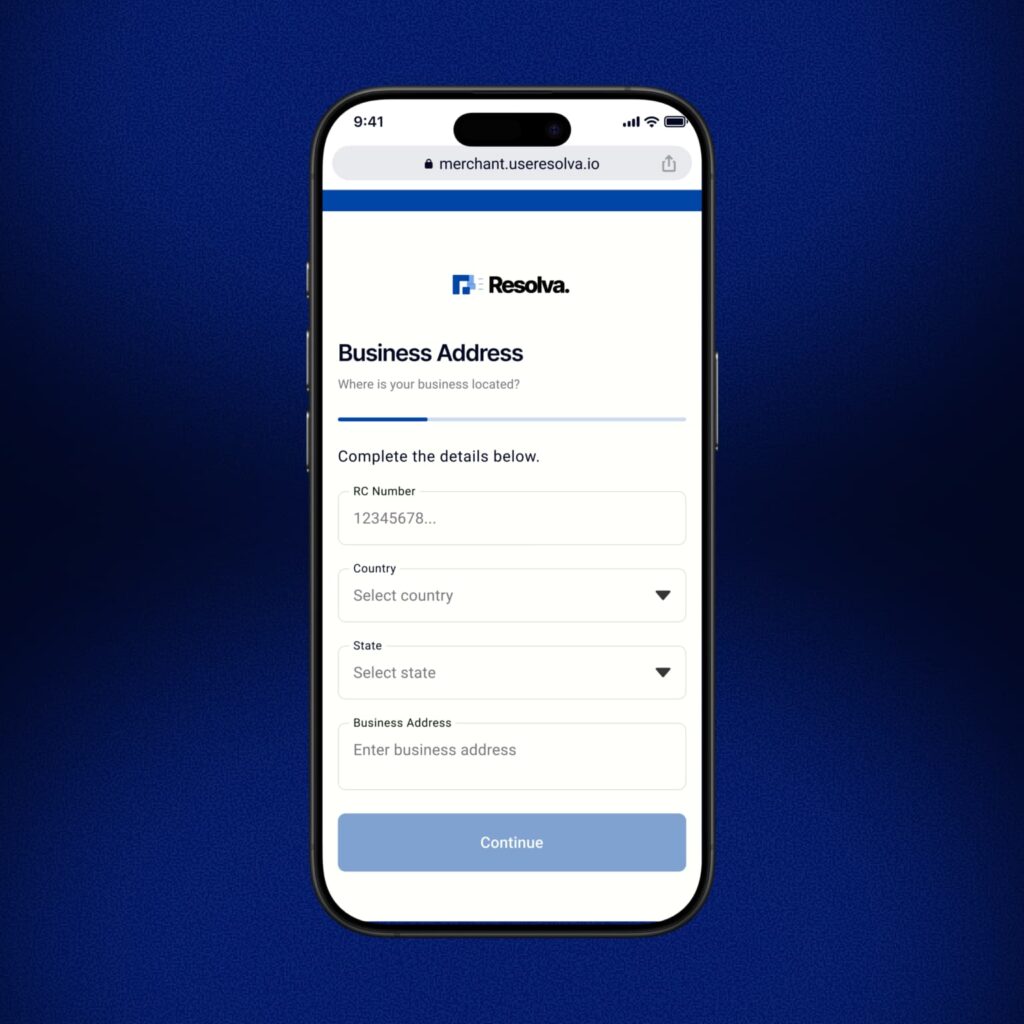
Step 7: Business address
Enter your RC number, country, state, and business address.
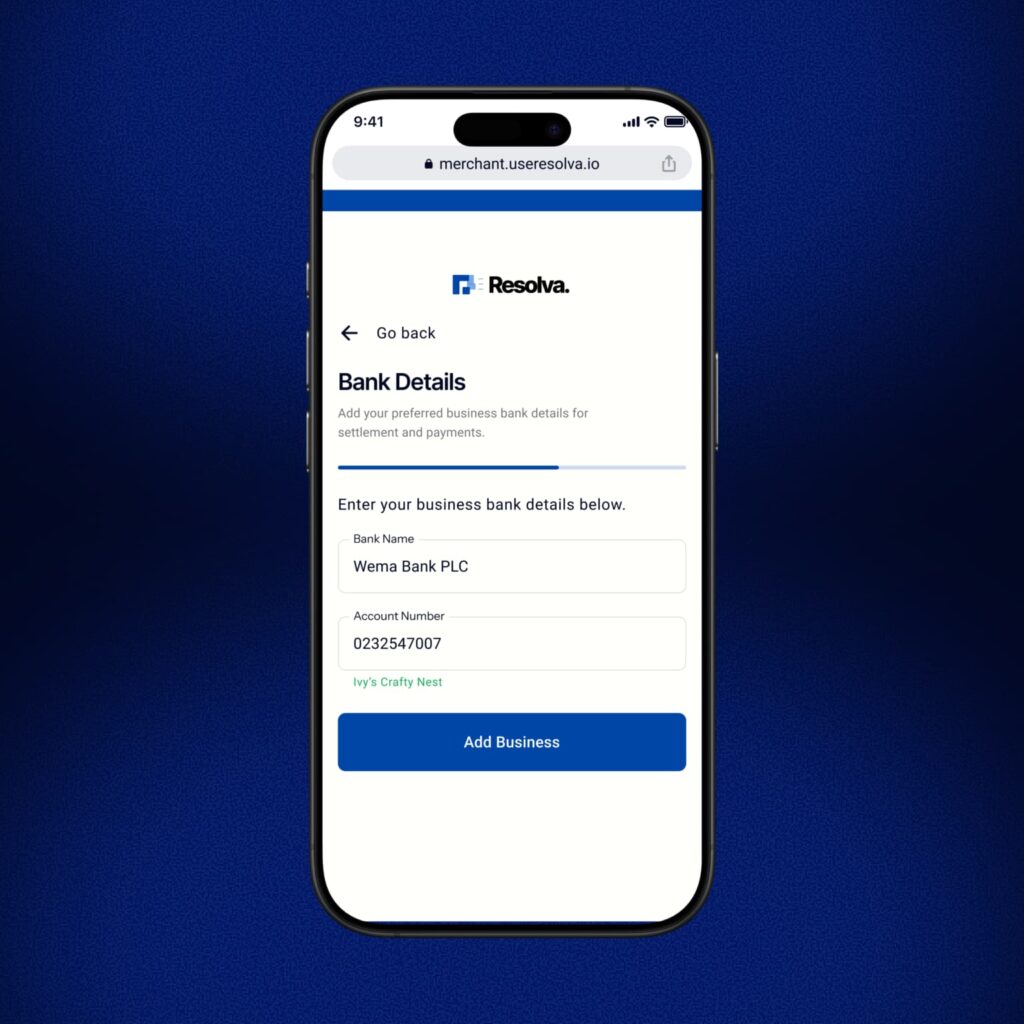
Step 8: Business bank details
Add the bank name and account number where Resolva will send your Naira settlements.
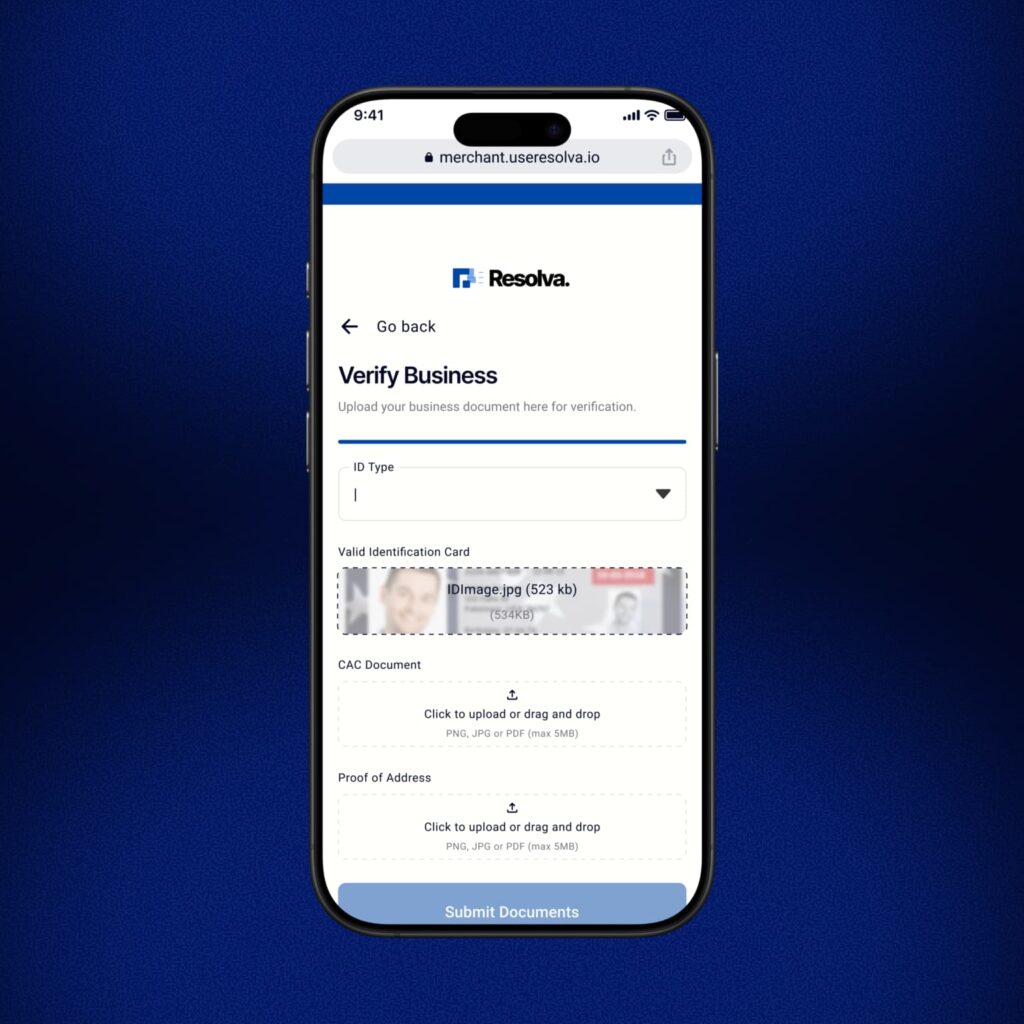
Step 9: Verify your business
Upload the following:
- Valid ID of the business owner (NIN slip, international passport, or voter’s card)
- CAC document (certificate of incorporation or business name registration)
- Proof of address (utility bill, tenancy agreement, or any document showing your business location)
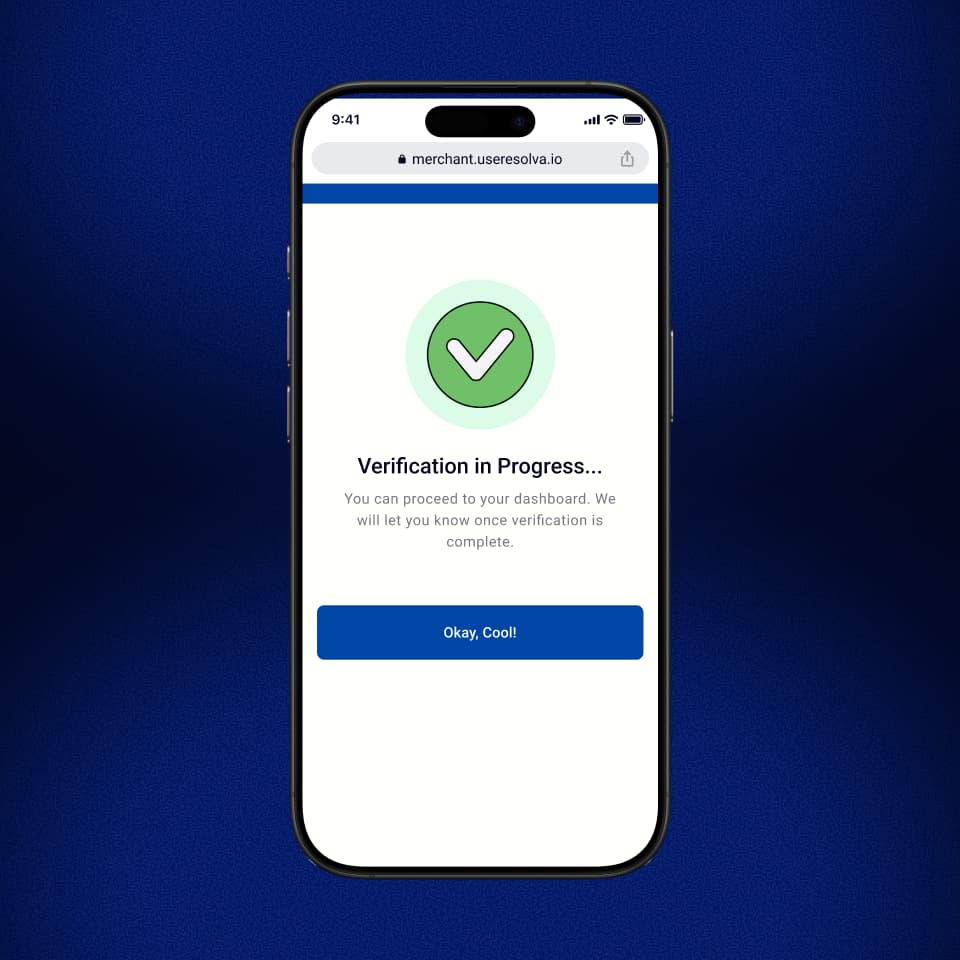
Step 10: Verification in progress
Once your documents are submitted, Resolva reviews them. You will receive an email notification when your business is verified. This usually takes a few hours.
Part 4 – Generate Your Wallet and Start Receiving Payments
Your account is verified. Now you set up the wallet addresses your customers will pay into.
Step 11: Go to the Receive tab
Find the Receive tab on your merchant dashboard menu.
Step 12: Tap Add Wallet
Select the token you want to accept (USDT, USDC, BTC, etc.) and choose the crypto network. Tap Generate Address.
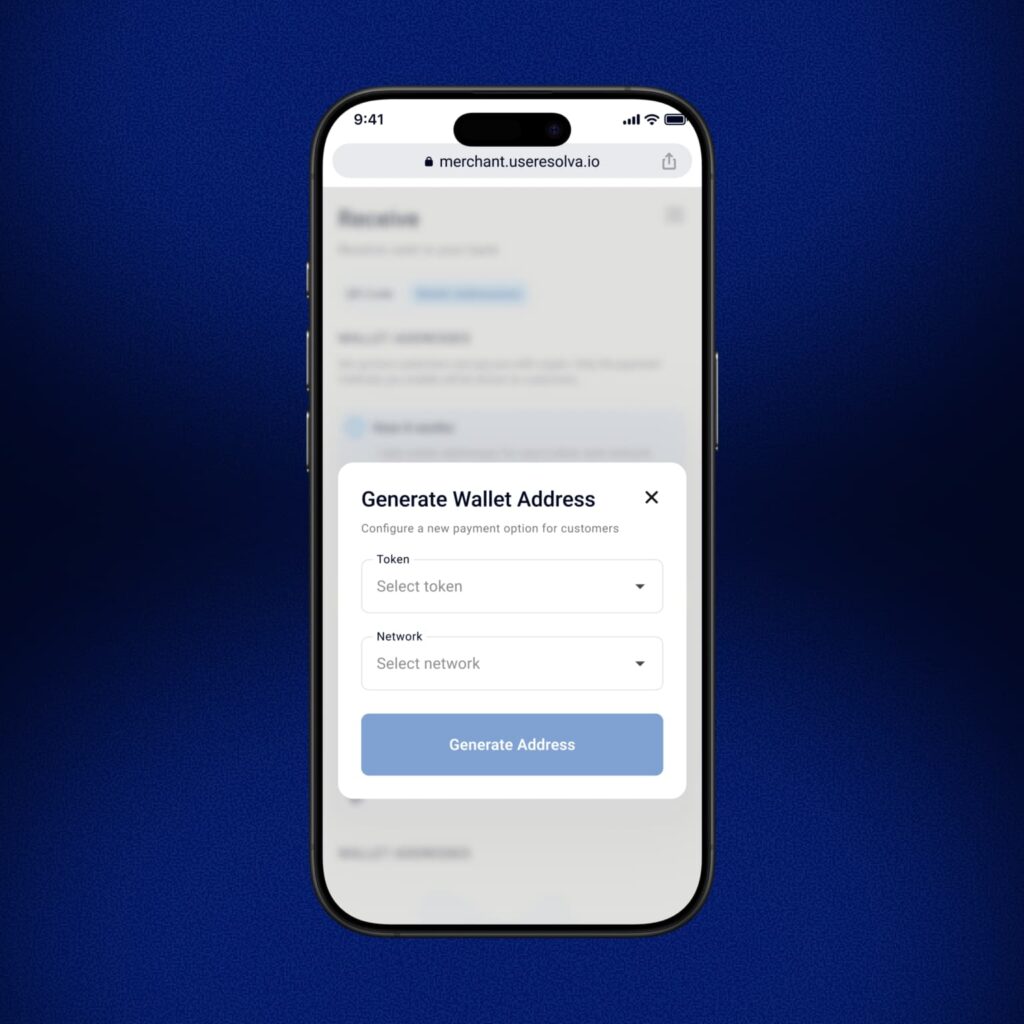
Step 13: Generate addresses for each token you want to accept
You can generate a separate wallet address for every crypto and network that Resolva Merchant supports. Do this for each token you plan to accept.
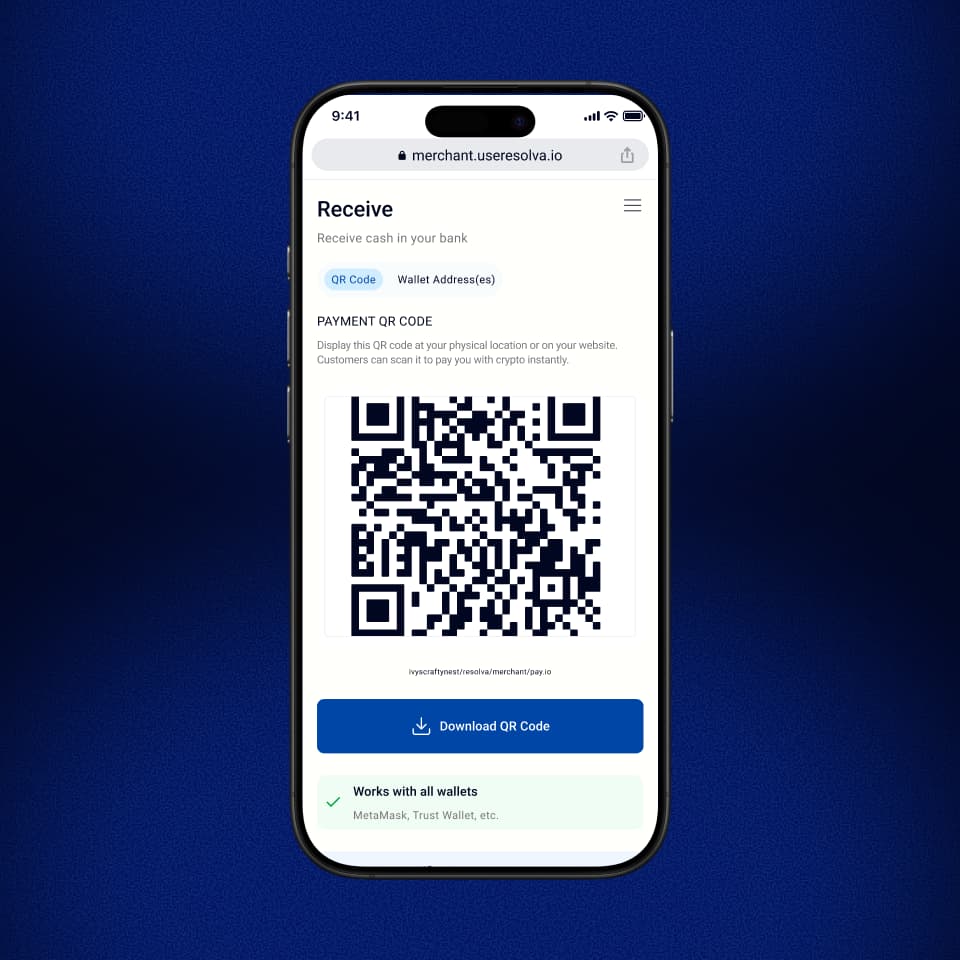
Step 14: Download your QR code
Go to Analytics or Receive in your dashboard, then tap the Download QR Code button. This QR code is tied to your wallet address. When a customer scans it and sends crypto, the Naira hits your account.
How to Use Your QR Code
One QR code. Two ways to deploy it.
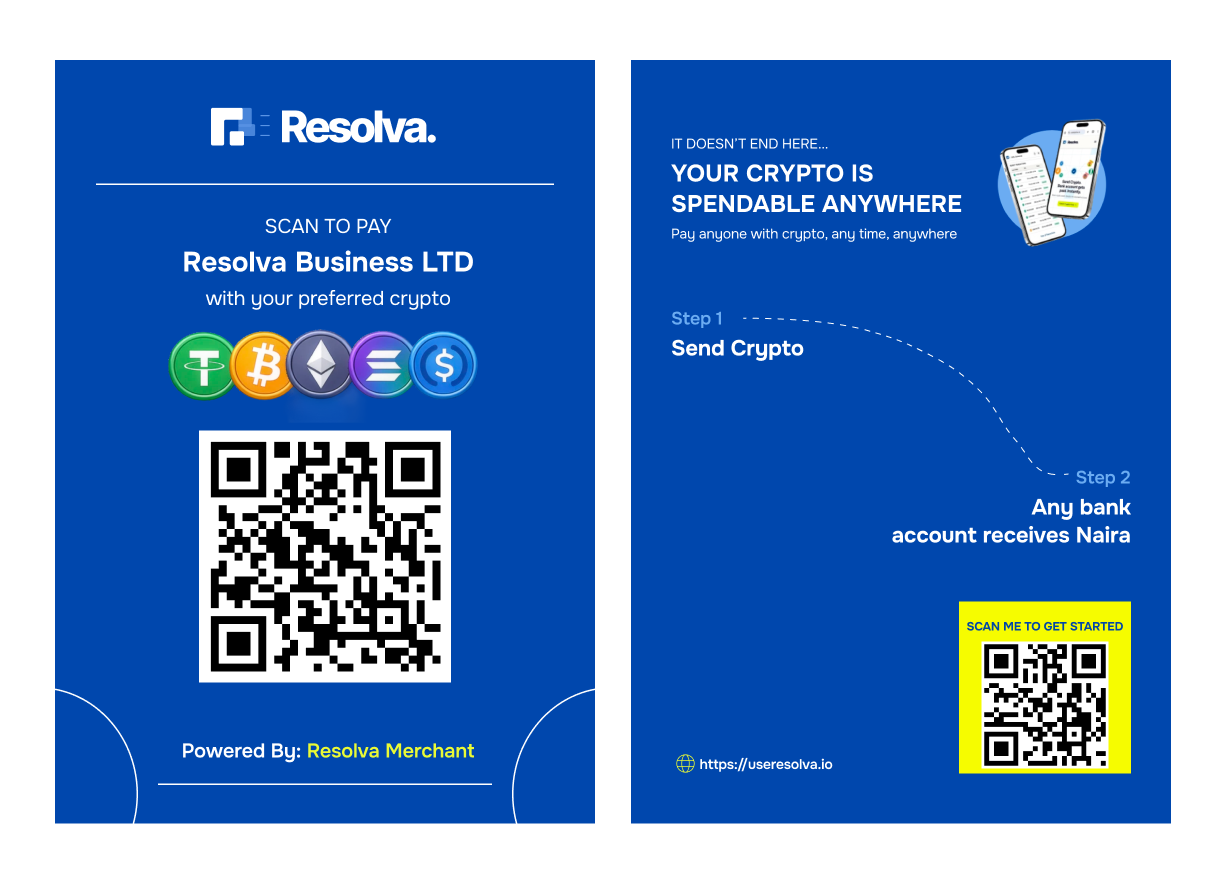
1. Physical Locations
Print the QR code and place it at your counter, on your menu, or at your entrance. Your customer scans, selects the amount, confirms. You get an alert. Transaction done.
Works for: Retail shops, restaurants, salons, pharmacies, markets, event vendors.
2. Online
Share the QR code image in DMs, on your website checkout page, in your WhatsApp status, or on your order confirmation screen. Customers scan and pay from wherever they are.
Works for: E-commerce stores, digital product sellers, freelancers, service businesses.
Here’s How Resolva Merchant Payments Work
- You confirm the customer’s bill in Naira.
- The customer scans your QR code to open your payment profile.
- The customer inputs the Naira amount and chooses their preferred crypto.
- Resolva automatically calculates and displays the crypto amount to be sent.
- The customer sends crypto, and you receive the exact Naira amount instantly into your designated bank account.
Quick FAQs
How long does business verification take?
Verification is typically completed within 24 to 48 hours of submitting your documents. You will receive a notification once it is done.
What cryptocurrencies can my customers pay with?
Resolva Merchant supports the major tokens like Bitcoin, USDT, USDC, Ethereum and Solana and networks like Bitcoin, ERC20, BEP20, Base and Solana.
Can I have more than one wallet address?
Yes. You can generate a separate wallet address for every token and network you want to accept. Customers can choose their preferred crypto token and network when making payment.
Do I need to pay fees to set up or use Resolva Merchant?
No. Setting up a Resolva Merchant and accepting crypto payments is completely free of charge.
Do my customers need a Resolva account to pay me?
No. Your customers simply need to scan your payment QR code and send the displayed crypto amount from any wallet they use, and you receive Naira.
Start Accepting Crypto from Customers
Expand your customer base by accepting crypto payments from customers while you receive Naira. No crypto knowledge required! Become a Resolva Merchant today.